Gameplay in Punch It: how a round plays out, stake to withdraw
A round is four things in sequence: set the stake and the difficulty, pick a target, see whether the punch landed, then decide. Repeat up to nine times, or stop whenever the withdraw control is showing a figure you like.
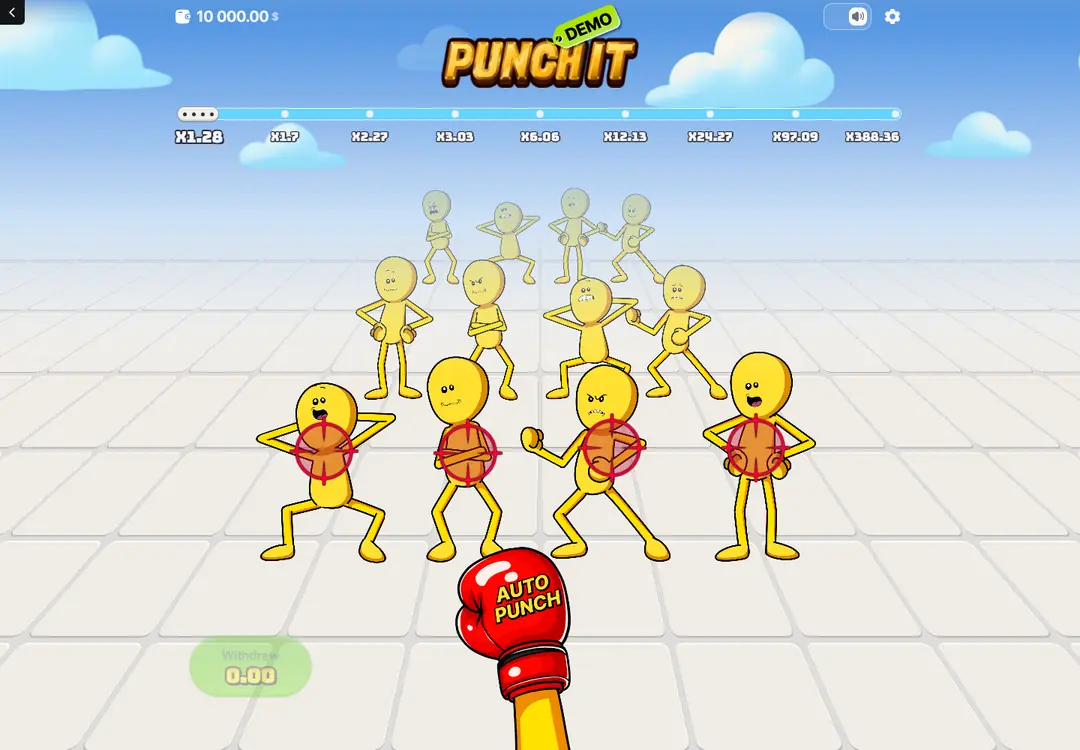
An active stage: four marked figures, and the oversized glove that resolves the stage without choosing one of them.
The game → A round
How a round plays out
Before anything happens the game is in its opening state: the nine-value tracker is already drawn, the figures are already on screen, and nothing is marked. Setting up happens in a compact panel underneath — the difficulty selector on one side, the stake controls on the other, and a large start control that begins the round.
Pressing it marks four figures in the front row. Those four are the active stage. You punch one of them directly, or hand the choice to the glove. If the punch lands, the completed position on the tracker turns green, the next group of four moves into focus, and the withdraw control picks up a figure. If it does not, the round ends there.
Carry on and the same step repeats one position further along. Complete the ninth and the round finishes at the top value for the difficulty you chose. At every point after the first success, stopping is one press away.
The opening screen keeps setting up apart from playing
The division is deliberate and it is the cleanest thing about the interface. Everything you adjust lives in the panel below the arena; everything you act on lives in the arena itself. The two never overlap, so a mis-tap on the stake controls cannot start a stage and a mis-tap in the arena cannot change the stake.
The difficulty selector is a two-part control with the ceiling of each setting written inside its own half, so the choice is made against the number it produces rather than against a word. Minus and plus buttons step the stake, a row of quick values jumps it, and the start control spans most of the panel.
Because the full value path is visible in this state, the opening screen is also where a comparison belongs: switch the selector and the last five numbers under the tracker change in front of you. Both sequences are set out side by side if you would rather read them than toggle.
Four figures, and the one choice that matters
Once a round begins, four figures in the front row carry target markers. Their poses and expressions differ, the rows behind them are drawn progressively smaller to show distance, and the marked group is always in the same part of the screen. There is no separate list of options to read: the selectable thing and its position on the path are shown together.
Picking between the four is the part of the game that feels like a decision and is not one. The markers say which group is live; they do not tell you which member of it will counter. Our own source does not state how many of the four will hit back at a given stage, and we are not going to supply a number it does not carry.
Two outside pages about the title both describe the risk rising as the path goes on — one of the four early, more of them late in the harder setting. We give that as their description rather than as a specification. The printed values say the same thing in a way that needs no source at all: a stage worth x97.09 cannot be as survivable as one worth x4.04.
Auto Punch provides a second input method
The red glove sits low and central during an active stage, well away from both the four targets and the withdraw control. It is the largest, most saturated object on the screen, which is a reasonable piece of design: it has to be impossible to confuse with the control that ends the round.
What it does is narrow. It resolves the current stage without you choosing a figure. It does not change the difficulty, the value path, the number of stages or what happens after a success. The tracker still advances, the next group still becomes active, and the withdraw control still shows what the round is worth.
What it changes is pace, and pace is worth a thought. Removing the choice makes rounds shorter and makes it easier to lose count of how many of them you have played. If a session is meant to last an hour, hand-picking targets is the version of this game that lasts an hour.
Success, continuation and the withdraw state
A landed punch does three things at once. The finished segment of the tracker turns green, the marked row is replaced by the next four, and the green withdraw control starts showing a value. Nothing opens a dialog and nothing covers the arena: the completed path, the next decision and the current amount are all legible in one glance.
The value in that control is the stake multiplied by the stage reached, not the multiplier on its own. The example our source records is a 0.25 stake on the first Easy stage of x1.28, which the interface shows as 0.32 after its own rounding. That distinction matters more than it looks: the number on the tracker is a factor, the number in the control is money.
Choosing it ends the round at that figure. Choosing to carry on puts the whole of it back on the next stage — there is no partial collection and no progress carried forward into another round. The amount showing is either taken or risked, and that is the entire structure of the game.
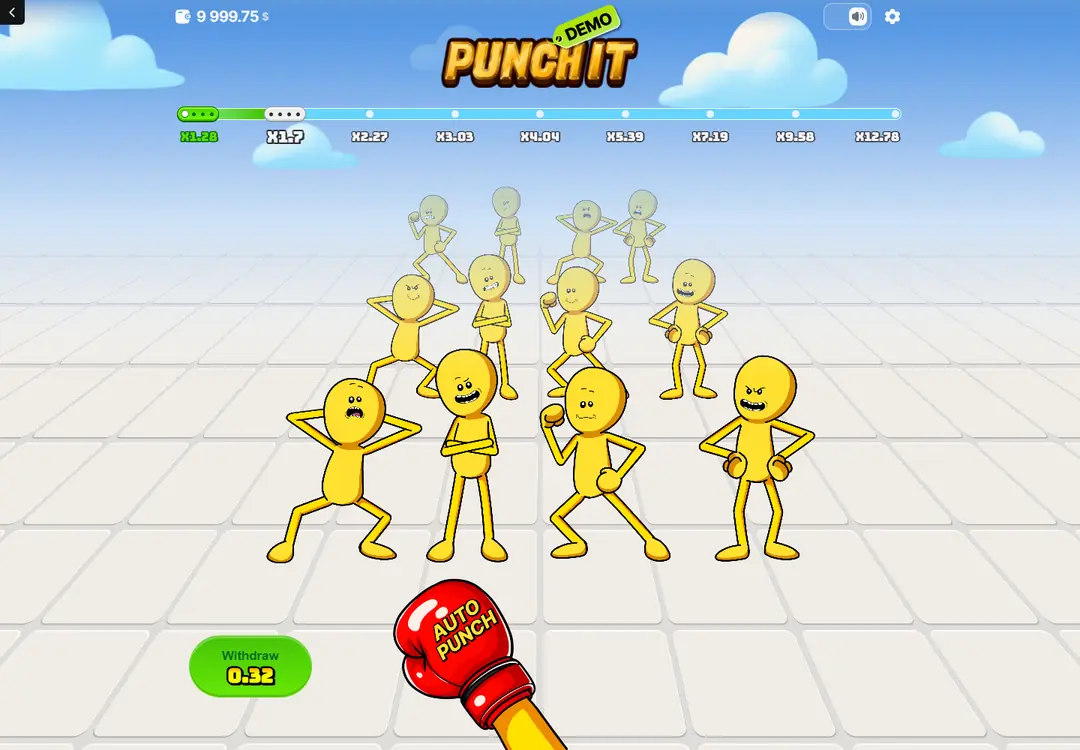
One stage completed. The finished segment turns green, the next group moves forward, and the withdraw control picks up a figure.
What the Live, My and Top panels are for
Below the arena sit three tabs: Live, My and Top. Between them they show rounds resolving now, your own recent rounds, and the standout results. The game also carries a Provably Fair panel, which exists so a finished round can be checked rather than taken on trust.
These are information, not inputs. A long run of losses in the Live tab does not make a win due, and a large figure in Top does not mean a stage is warm. Each stage is settled on its own; nothing in a finished round reaches into the next one.
The verification panel is worth using for what it actually proves: that a result was not rewritten after the fact. It says nothing about how much the game returns, and a game can be entirely verifiable and still hold an edge, which every casino game does by construction.
Questions about a single round
- How many stages are there in a round?
- Nine, in both difficulty settings. The setting changes the values written under the nine positions, not how many positions there are.
- Does Auto Punch change the odds?
- No. It resolves the current stage without you choosing one of the four figures. The value path, the stage count and what follows a success are all unchanged.
- Can part of a win be collected?
- No. The figure in the withdraw control is either taken in full, which ends the round, or carried whole into the next stage.
- What do the Live, My and Top tabs do?
- They show rounds resolving now, your own recent rounds and standout results. None of it is an input to a stage, and none of it makes an outcome due.
The round structure above comes from the earlier build of this site, which recorded the interface state by state. Figures are listed with their sources in the specification for this domain.
Related pages
The game · Easy · Hard · Multipliers · On a phone · Game info